
A General-Purpose Tree Library for Working with Hierarchical Data
I built a Java library to work with hierarchical data using a general purpose tree structure. I designed it as a way to organize and manipulate shape data in Processing for creative coding projects, but it’s flexible enough to apply to a range of other domains, from graphics to file structures and data storage. The source code is available on GitHub here.
Interface-Based Node Design
All node behavior comes from an interface that can be implemented by subclasses. This allows you to:
- Keep tree logic separate from data and custom node functions
- Enables polymorphic tree structures: node objects of different classes can be treated as objects of the node interface type
- Even though Java doesn’t support multiple inheritance, any subclass can still implement the interface to add node functionality
Provided Classes
There are a few node classes provided to work with or build off of:
Nodeis a class with only the basic node functionality and no additional fields. This is a good reference for the simplest way to implement theTreeNodeObjectinterfaceDataNodeis a node that can hold an element e.g.DataNode<String>- There are also templates for creating a custom node, or a set of custom nodes for use in a polymorphic tree
Flat Tree Architecture
The tree isn’t built from nested objects or pointers. Instead, it lives in a single flat list. Each node knows:
- Its own index
- Its parent’s index
- Its first child’s index
- Its child count
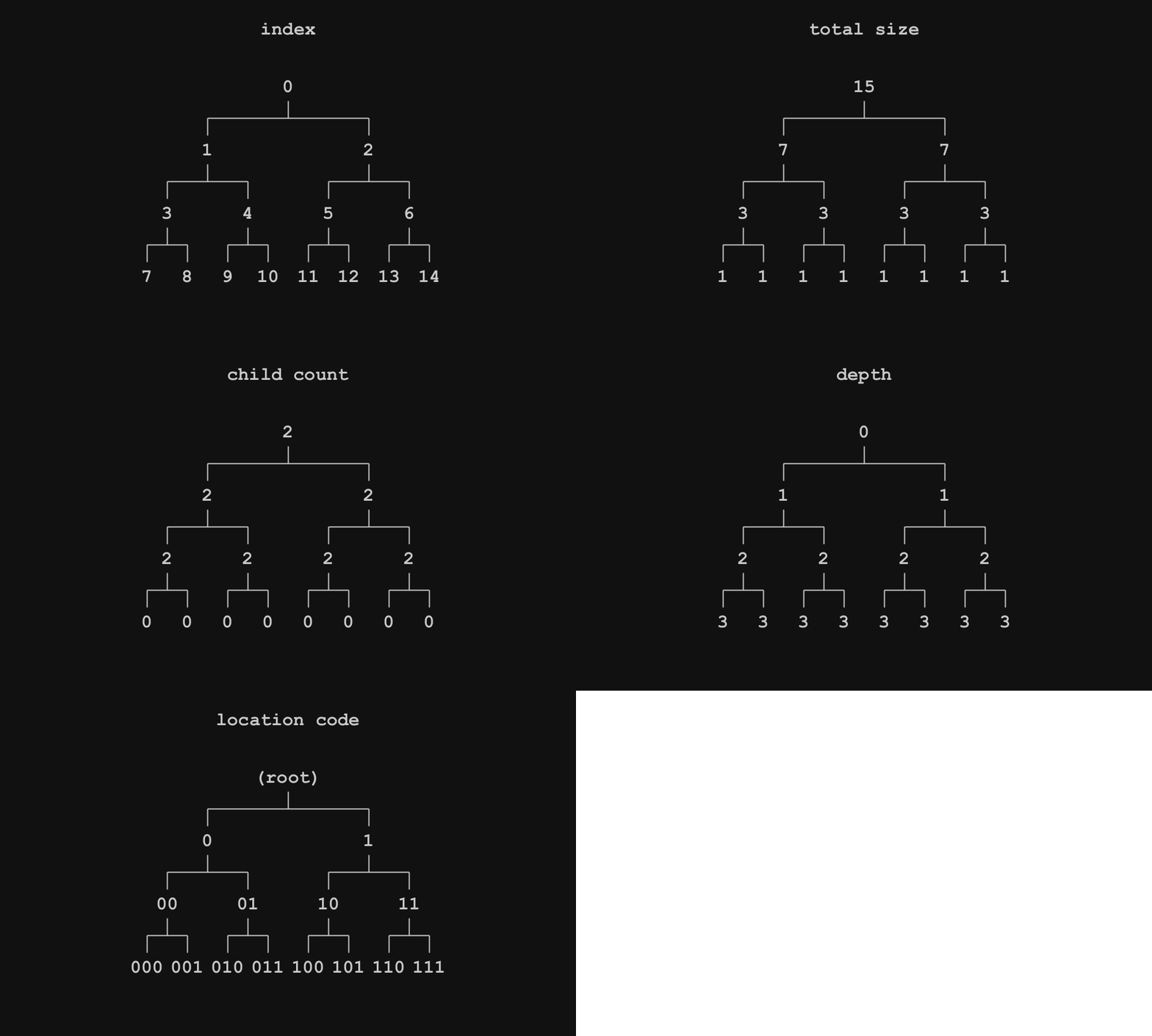
Nodes can be accessed directly by index, which makes traversals and operations more straightforward and predictable. It also makes data binding to an external list much easier: because node and data indices match, the structure and data can remain decoupled. In many situations, the basic node class can be used with a list of data without needing to create a custom node class. The flat list structure also makes tree duplication and modification straightforward.
Below illustrates some of the other properties that can be acquired from a node.
Basic Tree Functionality
The interface allows for both breadth-first and depth-first tree traversals. Traversal can be used with lambda expressions to modify external data, node fields, top down / bottom up calculations, or even change the tree structure. Nodes are also iterable using Java’s enhanced for loop, with depth-first traversal as the default.

There are methods to retrieve nodes that you would expect from a general tree library. Methods like getRoot , getParent, and get, which takes in an index to return a child are straightforward. getChildren, getLeafs, and search methods return a List of nodes, so they can be used with streams to work with the data. A few ot the other methods available are getLowestCommonAncestor, getAncestorAtDepth, and getRandomNode
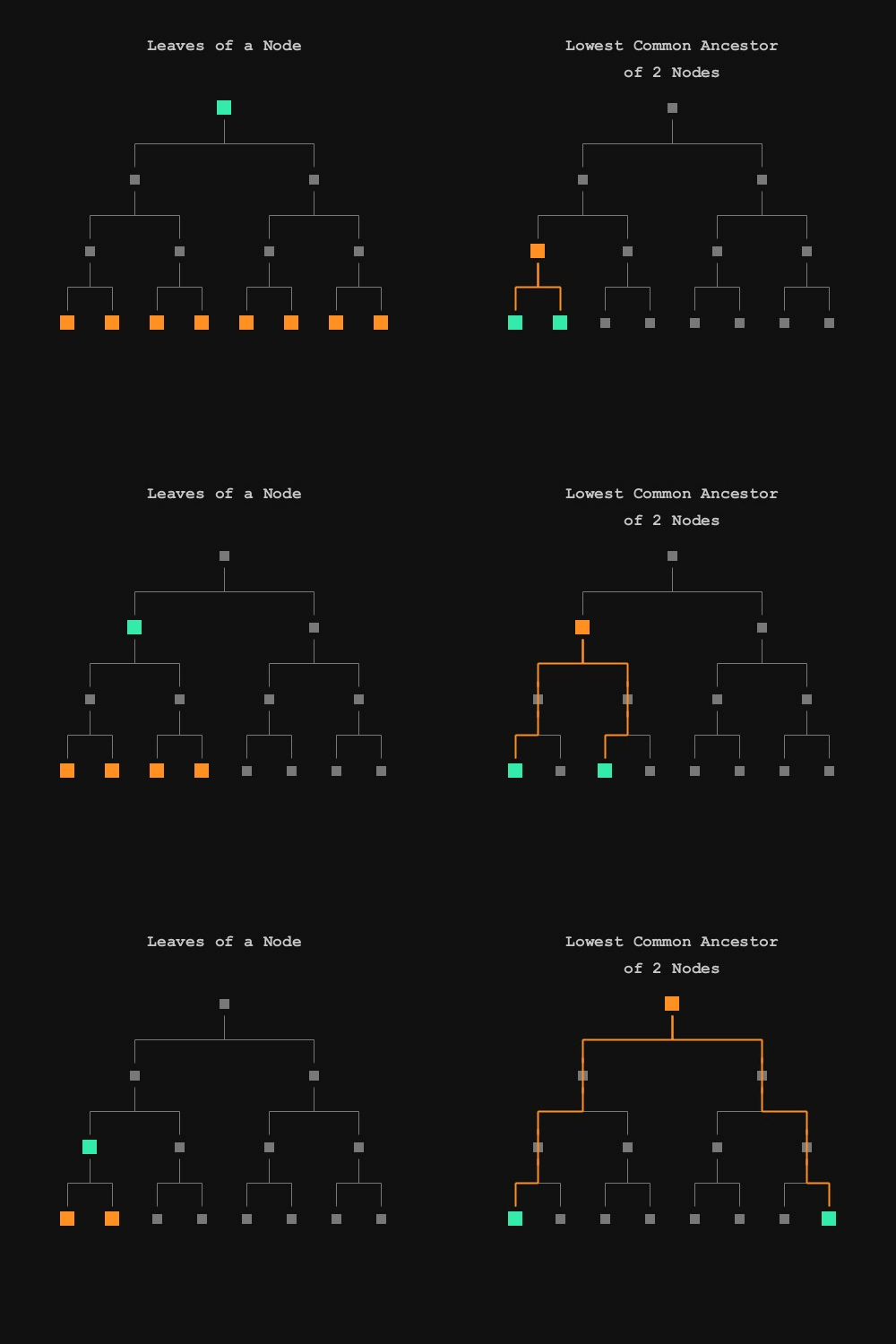
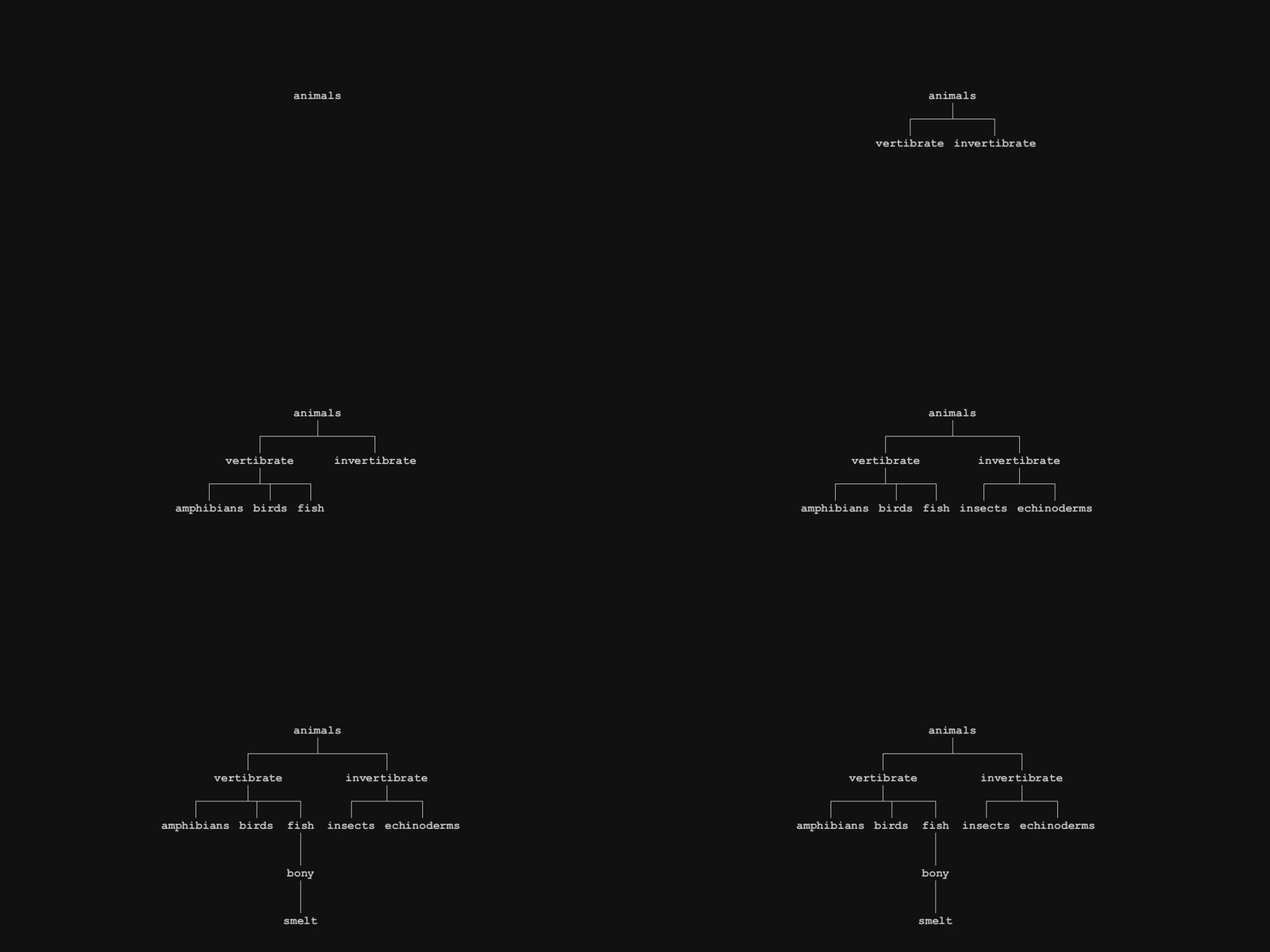
Structural modification of trees can be done through various add node methods and recursive node deletion. You can also add or replace nodes with other trees. Trees can be deep copied, there is a method transferSubclassFieldsTo that can be overridden for deep copies of subclasses.
Export and Transformation Tools
The library supports a few practical ways to export or transform data:
- Calculate values across the tree, like aggregates or counts
- Transform the tree into another format using a lambda expression
- Pretty-print values from the tree
- Export to JSON, where:
- Node fields exported to json key /value with a lambda expression
- Children are nested into arrays
This makes it easy to convert tree structures into formats you can use elsewhere, whether that’s a visualization, a config file, or some runtime format for another system.
Rendering Tree Diagrams
You can make diagrams with a TreeRenderBuilder object, which uses the builder pattern to specify things like node spacing, line spacing, node dimensions, and node rendering.
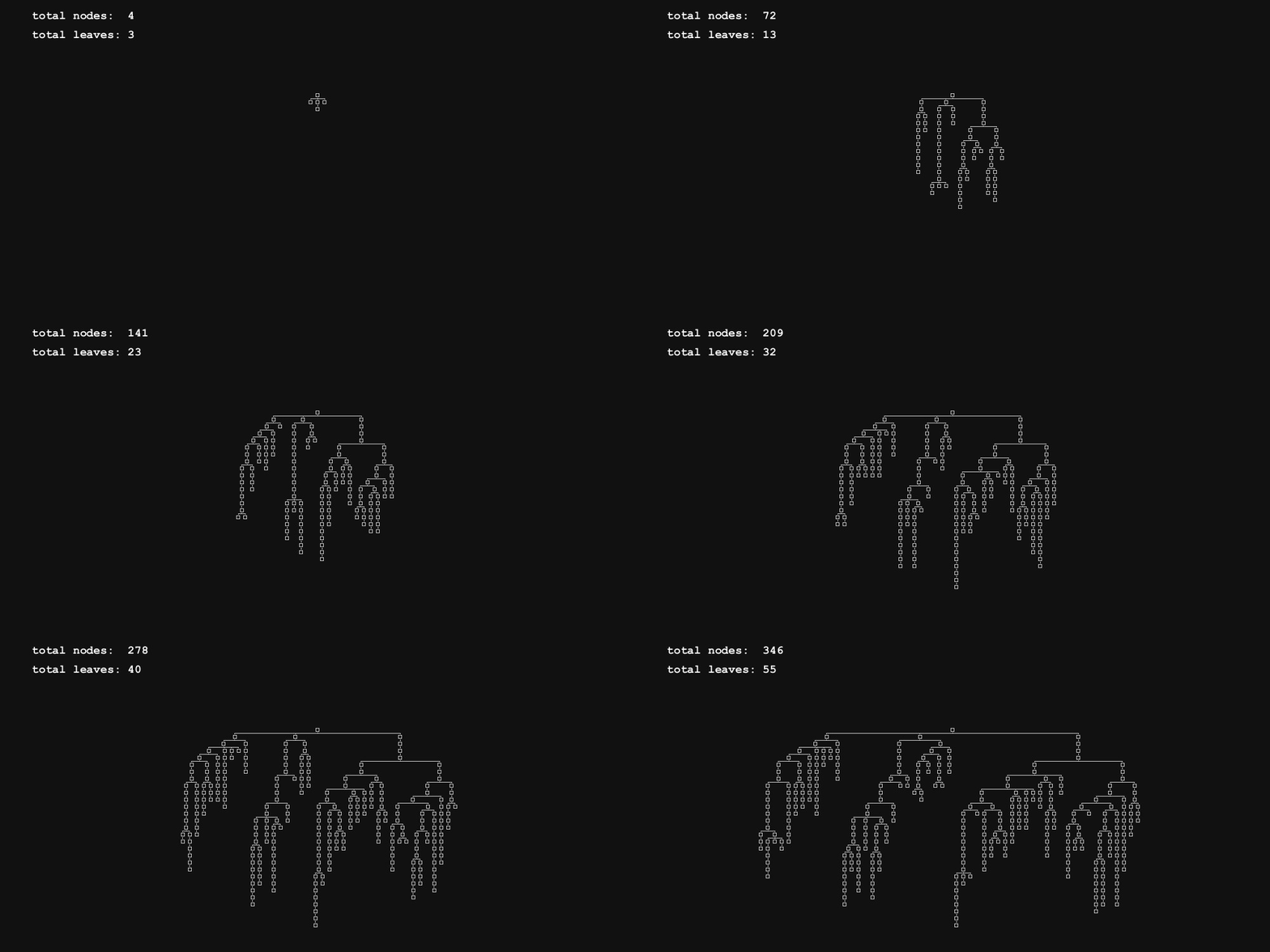
Variable node dimensions and rendering expressions can be used for things like representing nodes with text.
Example 1: Node Attribute Operations and Queries
For this example, I am pairing the DataNode with a Part class which is used to store some basic attributes about each part, shown below.
class Part{
  String name;
  String type;
  float cost;
  int count;
}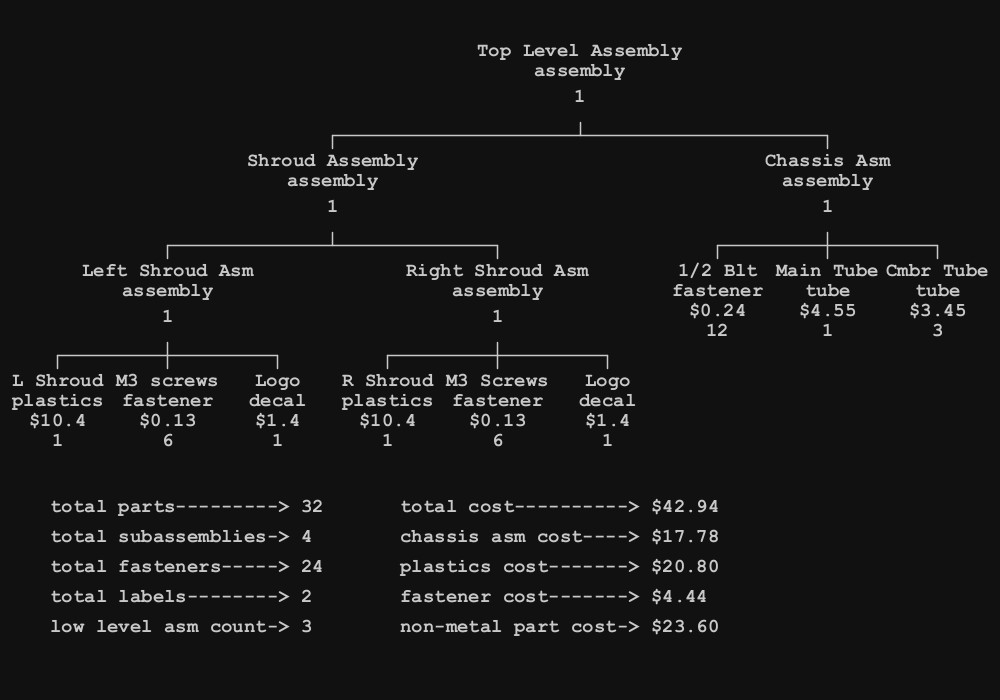
Below are a few examples of how the above data was calculated. You can see the use of Stream , Predicate, and lambda expressions in the operations applied to the root node. The full example is available in the repository.
int totalParts = root.getLeafs().stream().mapToInt(n ->
  n.getData().count ).sum();

int totalFasteners = root.findAll( n ->
  n.getData().type.equals("fastener")).stream()
  .mapToInt(n -> n.getData().count )
  .sum();
Below is an example of a recursive method, getTotalCost, that takes a node and fetches the cost of that node by calculating bottom up from the node leaves.
float getTotalCost( DataNode<Part> node ){
    if( !node.isLeaf() )
      return (float) node.getChildren().stream()
        .mapToDouble( n -> (double)getTotalCost(n) )
        .sum();
    else return node.getData().cost * node.getData().count;
  }
Example 2: Storing and Accessing Colors
Here you can see a tree being used to store color palettes. Data can be stored in nested groupings with labels for easy organization. By accessing the leaves of any node you can easily query different groupings of colors. You could pick from a specific palette, or just a “warm” color, or by choosing a random leaf from the root node, you could get a random color from all palettes.
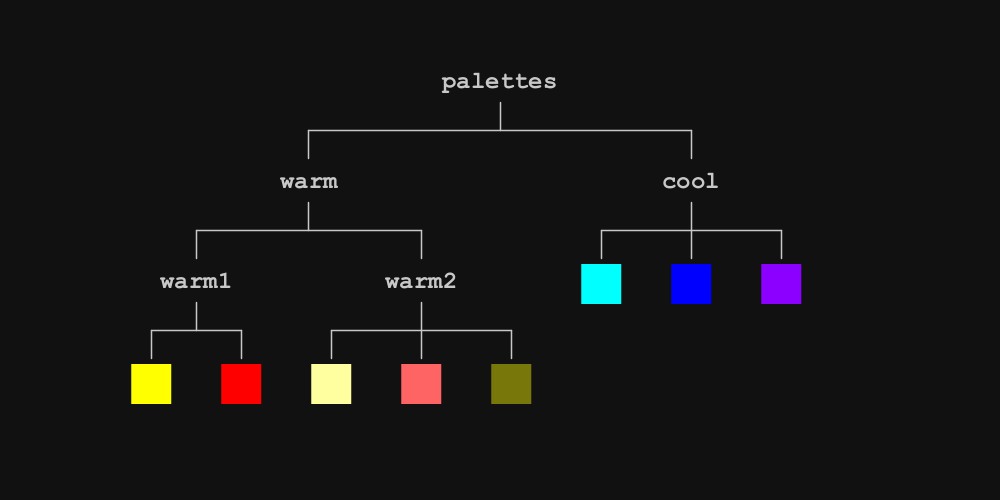
Below is a simplified portion of the tree above exported to JSON data. Children of each node are stored in an array and fields in a fields object.
{
  "node fields": {"name": "palettes"},
  "children": [
    {
      "node fields": {"name": "warm"},
	  "children": [
        {
          "node fields": {"name": "warm1"},
		  "children": [
            {
              "node fields": {
                "color": -256,
                "name": "yellow"
              },
			  "children": []
            },
            {
              "node fields": {
                "color": -65536,
                "name": "red"
              },
			  "children": []
            }
          ]
        }
	  ]
	}
	]
}
Polymorphic Trees
Nodes can subclassed in a way to give each node unique functionality while interacting within the same tree system. Below is a crude example of financial data and specialized nodes for different types of data.
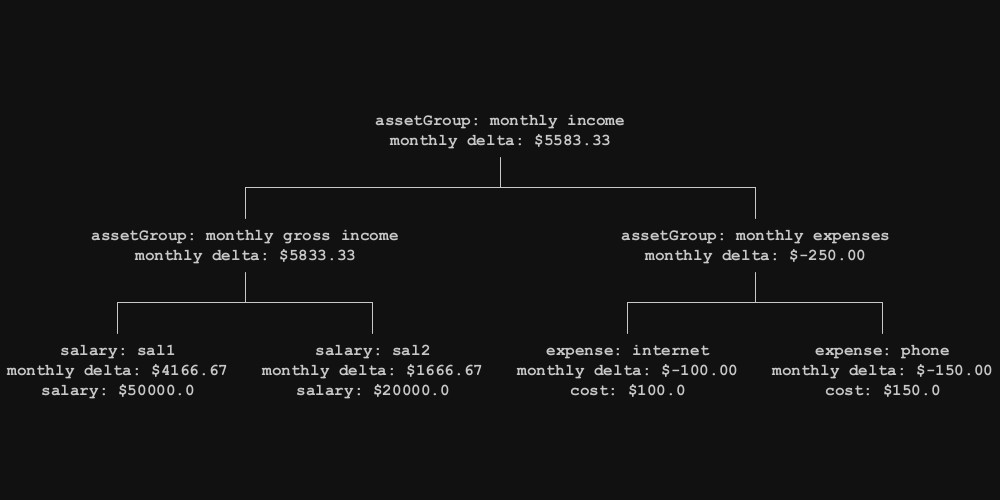
The example uses a MoneyObject base class which is subclassed into assetGroup for non leaf nodes, and Expense, and Salary for leaf nodes. All nodes have a monthlyDelta method, defined in the base class. This method allows nodes to calculate the value across the tree, while each node has different ways of calculating this value, along with unique fields and methods.
Taking It Further
This tree system is part of a library which is used to make graphics in processing. I’ll be writing more posts on how this library is used to work with graphics, layouts, and generative systems.
You can find the source code on GitHub here.

Leave a Reply