Exploring Involute Curves in Design and Geometry
I came across a video on the High Flux Isotope Reactor (HFIR), built at Oak Ridge National Labs. It is used for isotope research and production, isotopes used in industrial scanning, explosive detection, and cancer treatment among many other things.
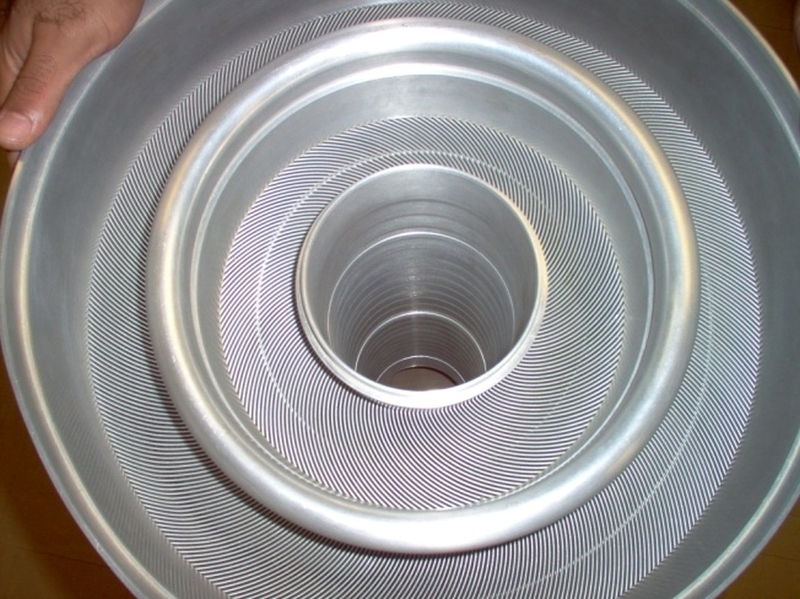
Upon watching the video, something immediately caught my attention, the circular arrangement of the fuel cell plates, shown in this image. They are patterned in a circle and yet have perfectly consistent gaps. This was an effect I had tried to get for design projects a few times in the past, but was completely stumped on how to do it.
Involute Curves
In the video, they explained that the these plates have a special shape called an involute curve. This is to achieve a consistent gap thickness between the fuel plates, so water can run through gaps with the highest efficiency. This type of curve is the only shape that can be arranged around a circle with a consistent gap size. An involute of a circle can be thought of as winding a string around a cylinder, attaching a pencil to the end of the string and drawing a line as you unwind the string.
Involute curves have a few other applications, by far the most popular one is its use on gear teeth. Using this curve in a gear profile, you can achieve perfect meshing of teeth, minimizing play between interlocking gears.
Making Involute Curves
I thought the radiating look of these spirals was unique and interesting, so I decided to make some for myself. Below is the parametric equation for one of these curves:
x=a(cos(t)+t*sin(t))
y=a(sin(t)−t*cos(t))
This allowed me to output as an svg path for use in vector graphics and 3d modeling applications.
Here is the full processing sketch used to generate the involute of a circle:
PShape p;
PVector center;
float rad = 5;

void setup(){
  size(500,500);
  background(255);
  noLoop();
  noFill();
  center = new PVector(width/2,height/2);
  p = drawInvolute(rad, 500, 0, TWO_PI);
}

void draw(){
  translate(center.x,center.y);
  ellipse(0,0,rad*2,rad*2);
}

PShape drawInvolute(float r, int n, float tSt, float tEd){
  PVector[] pts = new PVector[n];

  for(int i = 0; i < n; i++){
    pts[i] = new PVector(0,0);
    float inc = i == 0 ? 0 : i*(1/float(n-1));
    float t = lerp(tSt,tEd,inc);
    println(inc);
    pts[i].x  =  r * (cos(t) + (t * sin(t)));
    pts[i].y  =  r * (sin(t) - (t * cos(t)));
  }

  PShape s = createShape();
  s.beginShape();
  for(PVector pv : pts) s.vertex(pv.x,pv.y);
  s.endShape();

  return s;
}
2d Design Applications
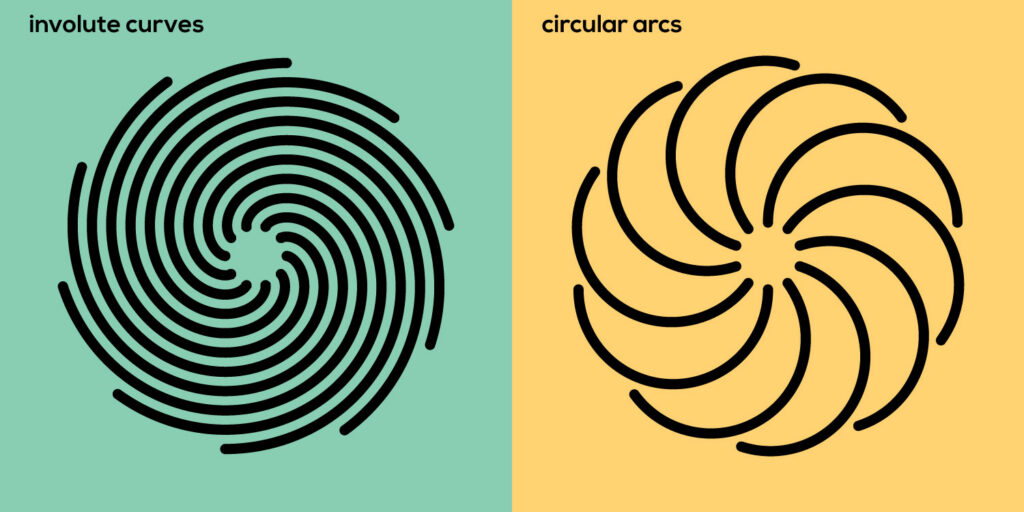
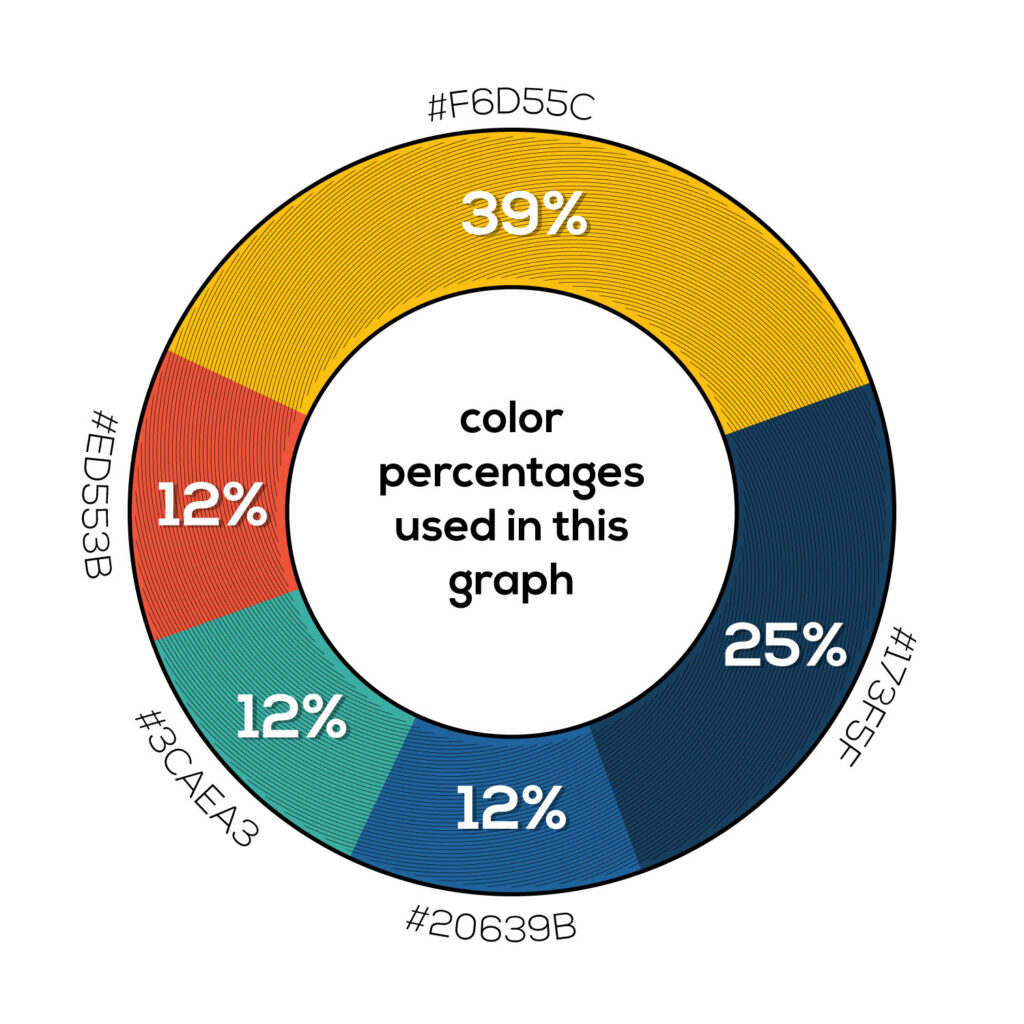
Comparing patterned involute curves to typical circular arcs, you can see how other curves will not give you that consistent gap size. This unique look has many applications, whether it is a subtle hatch pattern, or blocking in large shapes.



3d Printed Gear Mechanism
After experimenting with involutes I had an idea to try making a strange rack and pinion type of gear mechanism using the curves.
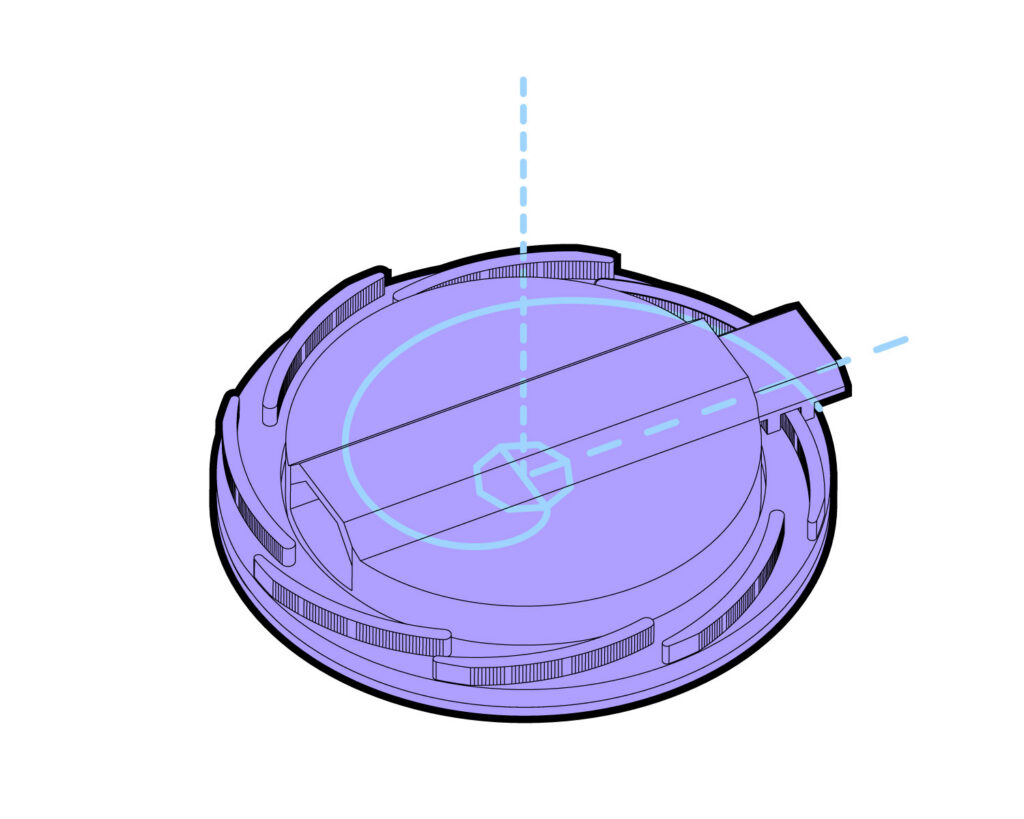
Since the curves have a consistant gap and each patterned shape is the same curvature, I tried meshing them like gear teeth. The involute curves are patterned around to make a circular gear. a small section of one of the curves was patterned along a straight line to make a linear gear.
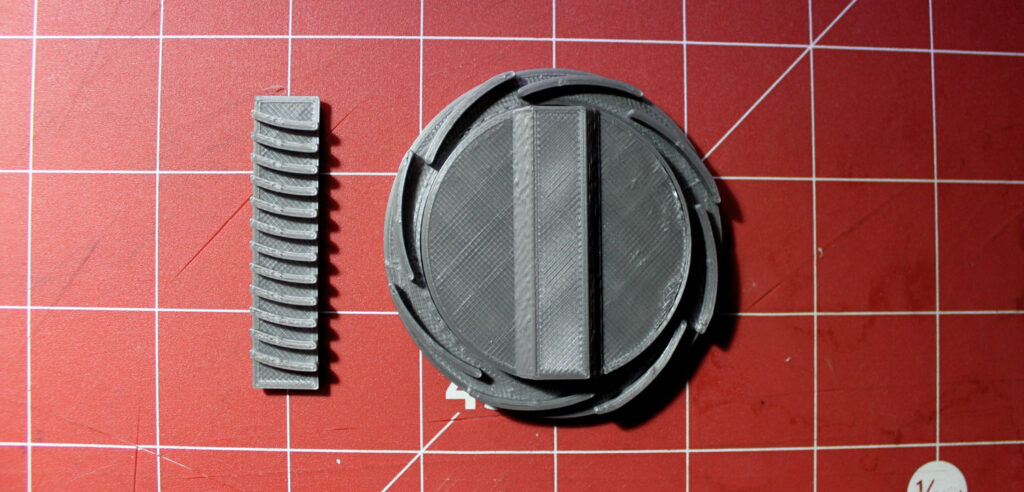
It actually worked! Although I’m not sure if there would be any practical uses for this.

Leave a Reply